Best Micro USB Charger in 2026: What Still Works and What to Avoid
A micro USB charger is a two-part system made of a wall adapter that outputs 5V DC power and a Micro USB cable that delivers it to your device. Most devices charge safely and reliably with a certified 5V/2A adapter paired with a nylon braided cable. If your device supports Qualcomm Quick Charge, a compatible adapter can push charging speeds up to 15W.
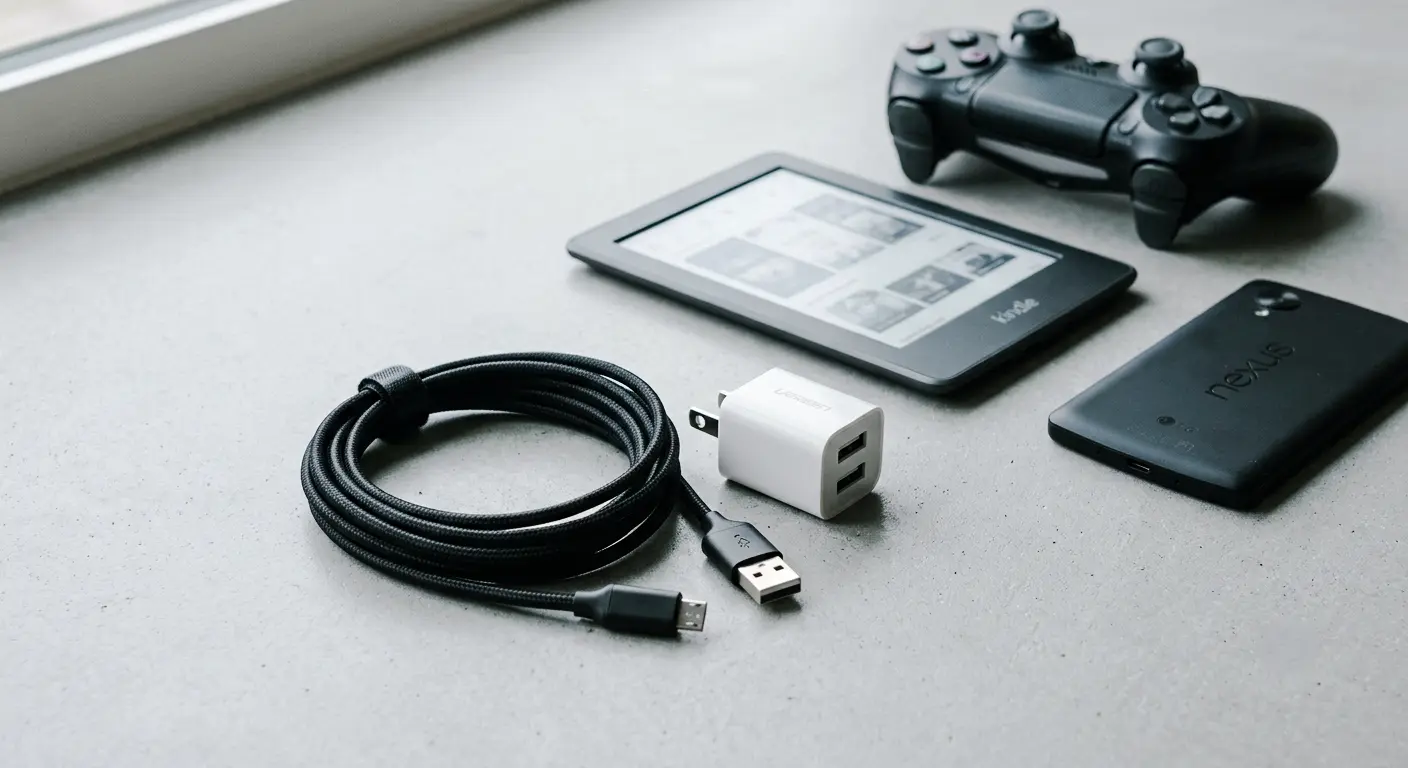
Millions of devices still in daily use rely on a Micro USB port. Old Android phones, PS4 controllers, Kindle e-readers, and Bluetooth speakers are not disappearing from homes and offices anytime soon. The problem is that most people buy a replacement cable without knowing what to look for. That one mistake leads to slow charging, cables that fail in two months, or worse, a device that overheats because the adapter is uncertified. This guide tells you exactly what to buy, what to avoid, and why getting this right matters more than you think.
What Devices Still Use Micro USB in 2026?
Before spending money on a new charger, it makes sense to confirm your device actually uses Micro USB. Contrary to what many people assume, this connector is still very much in active use today.
Here is a practical list of devices that still rely on Micro USB for daily charging:
- Samsung Galaxy S7, S6, S5, and earlier Android smartphones
- Amazon Kindle and Kindle Fire e-readers
- PlayStation 4 (PS4) controllers
- Bluetooth speakers, earbuds, and wireless headsets
- Portable power banks and older battery packs
- Arduino boards and hobbyist electronics
- Digital cameras and MP3 players
- Budget Android tablets
- Portable hard drives
- LED lights and small home IoT devices
If any of those sound familiar, keeping at least one reliable micro USB charger within reach is a smart and practical decision. Now that you know whether you need one, the next question is whether it is worth investing in Micro USB gear or switching to a newer standard.
Micro USB vs USB-C: Should You Even Bother?
This is a fair question. The answer depends on what you already own. Micro USB is a legacy connector, but it is not available on every device people still actively use.
Here is a direct comparison of both connectors:
| Factor | Micro USB | USB-C |
|---|---|---|
| Max Charging Speed | Up to 15W (QC 3.0) | 100W+ (USB Power Delivery) |
| Data Transfer Rate | USB 2.0 (480 Mbps) | USB 3.2+ (10 Gbps+) |
| Connector Direction | One-way only | Reversible on both sides |
| Port Durability | Roughly 1,500 insertion cycles | Roughly 10,000 insertion cycles |
| Best For | Older phones, speakers, e-readers | Modern phones, laptops, tablets |
If you are buying a new phone or laptop in 2026, USB-C is the right choice. It charges faster, transfers data quicker, and the reversible plug saves time every day. But if your existing devices work perfectly fine with Micro USB, there is zero reason to replace them. Just invest in a charger that actually performs well and understand what makes one better than another.
How to Choose the Right Micro USB Charger
Getting this right involves two separate decisions: choosing the wall adapter and choosing the cable. Most people treat them as one decision and end up with a mismatched combination that underperforms.
Match Voltage and Amperage to Your Device
The most important spec on your wall adapter is the output. Almost every Micro USB device operates at 5V. The variable is the amperage. A 5V/2A adapter charges a compatible device roughly twice as fast as a 5V/1A adapter, but only if the device’s rated input current supports 2A.
Check the specification sticker on your device or look it up in the manual. If it lists a maximum input of 5V/1.5A, a 2A adapter will not charge it any faster. The device controls how much current it draws, not the adapter.
Ignore marketing claims of 3A or 3.4A output for Micro USB chargers. Delivering that level of current over a Micro USB connection requires specific chipset support that almost no Micro USB device actually has. The effective and safe maximum for most devices is 5V/2.4A. Anything beyond that is a numbers game with no practical benefit.
Cable Build Quality and Wire Gauge
The cable is where most buyers go wrong. A poor quality cable creates a bottleneck regardless of how capable the adapter is. Two identical adapters will charge at completely different speeds if you swap in a budget cable.
The internal wire thickness is measured in AWG, which stands for American Wire Gauge. A lower AWG number means a thicker wire. A 24 AWG cable moves current efficiently and generates minimal heat at higher amperages. Budget cables often use 30 to 32 AWG wire, which is too thin for anything above 0.5A and can run warm during normal charging sessions.
Three build quality features to confirm before buying:
Strain relief is the reinforced section where the cable meets the connector. Most cheap cables skip this or make it too stiff to flex safely. Without it, internal wires snap at the connector junction after repeated bending. This is the single most common failure point in low-quality cables.
Nylon braiding or aramid fiber on the outer jacket extends the cable’s life dramatically. A quality braided cable handles 5,000 to 10,000 bends before showing any wear. A standard PVC-sheathed cable typically fails well under 500 bends, often in the first few months of daily use.
Data lines matter if you plan to transfer files or update device firmware through the same cable. Many low-cost cables leave out the D+ and D- signal wires entirely and only carry power. When you plug a charge-only cable into a computer, the device will not appear in File Manager or Device Manager because there is no data connection to detect.
Best Micro USB Cable Length for Every Situation
Length affects comfort, reach, and how you use a device while it charges. There is no single best length, but the right one depends on where and how you charge.
A 1ft to 3ft cable works well for car chargers, travel kits, and desktop setups where the outlet is close to the device. A 5ft to 6ft cable is the best all-around option for bedroom nightstands and couch charging where you want room to hold the device while it charges. A 10ft cable suits rooms where the outlet is far from your usual sitting or sleeping spot.
One maintenance tip worth knowing: do not wrap cables tightly around the adapter for storage. Tight coiling stresses the wires near the connector joints and shortens the cable’s life faster than regular daily use does. Store cables loosely coiled or flat when not in use.
Common Micro USB Problems and How to Fix Them
Most charging problems with Micro USB devices follow a predictable pattern. Knowing the root cause saves time and avoids replacing the wrong component.
Charging is slow or stops entirely. This usually comes down to a low-output adapter, a damaged cable, or a charge-only cable that cannot carry the full power signal. Replace the cable first and test with a different adapter before concluding that the device port itself is the problem.
The connector feels loose in the port. Micro USB ports are rated for roughly 1,500 insertion cycles. Over time, the internal contact tabs wear down and the connector no longer sits firmly. A practical long-term fix is a magnetic Micro USB adapter that stays in the port permanently. You attach the cable magnetically each time, so the physical wear goes to the adapter instead of the device port.
The device gets hot while charging. This is a serious warning sign and not something to ignore. An uncertified adapter without over-current or over-voltage protection can push irregular power to the device. Replace the adapter with a certified one immediately and do not use the original again.
Files will not transfer when connected to a PC. This is almost always a charge-only cable. The cable is missing D+ and D- data lines. Replace it with a cable explicitly labeled as a charge and sync cable.
The cable frays at the connector after a few months. This is a strain relief failure. Cables with a reinforced overmold near the connector last far longer. Avoid bending the cable sharply right at the plug junction, as this is where internal wire breakage starts.
How to Spot a Dangerous or Fake Micro USB Cable
This step matters more than most people realize. An uncertified charger is not just a poor performer. It is a real electrical risk when used overnight or with sensitive devices.
Watch for these red flags when purchasing any micro USB charger:
Any product claiming 100W output or USB Power Delivery” compatibility over Micro USB is providing false information. Micro USB physically cannot support either of those specifications. Seeing those claims on the packaging means the product is mislabeled or deliberately deceptive. Do not buy it.
A missing model number or batch code on the packaging means the product cannot be traced to its manufacturer. Legitimate chargers always display this information clearly. If you cannot identify who made it or verify its specifications, do not use it for overnight charging.
The connector boot should feel solid when you press or twist it. A boot that spins freely or detaches with light pressure indicates cheap assembly and almost certainly substandard internal wiring.
Certifications to look for before buying:
UL or ETL listing means an independent testing laboratory has verified the product for electrical safety. Reputable brands consistently carry this certification even though it is not legally required in the US.
USB-IF certification confirms the product meets official USB standard specifications. Look for this mark on the packaging or verify it through the brand’s official product page.
FCC Part 15B compliance covers electromagnetic interference requirements for devices sold in the United States. Any legitimate charger sold through major US retailers will carry this.
Micro USB Charger for Specific Devices
Knowing your device helps you select the exact adapter and cable combination that performs best. Different devices have different requirements even when they all share the same Micro USB port.
PS4 controllers draw current at around 5V/0.9A and also need a cable that supports data sync for PC connectivity and firmware updates. A 6ft nylon braided charge and sync cable paired with a certified 5V/1A or 5V/2A adapter handles everything this device needs.
Amazon Kindle e-readers charge slowly by design to protect long-term battery health. A 5V/1A adapter is the right match here. Using a higher amperage adapter will not speed things up because the Kindle limits its own input current regardless of what the adapter can supply. A 6ft cable lets you read comfortably while the device charges.
Bluetooth speakers and earbuds draw very low current, typically between 5V/0.5A and 5V/1A. A certified 5V/1A adapter and a 3ft cable is the cleanest setup for a desk or nightstand with minimal cable clutter.
Older Android phones like the Samsung Galaxy S7 perform best with a 5V/2A adapter. If the device supports Qualcomm Quick Charge 2.0 or 3.0, a QC-compatible adapter will reduce charging time noticeably. Confirm that the cable is also rated for Quick Charge before buying, because standard Micro USB cables do not support the QC protocol even if the adapter does.
Portable power banks often use Micro USB as their charging input on older models. Check the input spec label on the power bank before choosing an adapter. Most accept 5V/2A, and using a 1A adapter to charge a large-capacity power bank can take two to three times longer than necessary.
Frequently Asked Questions About Micro USB Chargers
What is a micro USB charger?
A micro USB charger is a two-part system consisting of a wall adapter that outputs 5V DC power and a Micro USB cable with a Micro-B connector on the device end. Both parts must match the device’s charging specifications for safe and effective operation.
Are micro USB chargers interchangeable between brands?
Yes, in most cases. Micro USB follows a standard pin layout, so a charger from one brand will fit and power a device from another. What matters is that the adapter outputs 5V and that the amperage meets or exceeds the device’s minimum input current requirement.
Can micro USB support fast charging?
Yes, but within strict limits. The highest practical charging speed over Micro USB is around 15W using Qualcomm Quick Charge 3.0. This requires a QC-compatible adapter, a QC-rated Micro USB cable, and a device that also supports the Quick Charge protocol. Standard Micro USB charging without QC maxes out at 5W.
How do I know if my cable is charge-only or supports data transfer?
Plug the cable into a computer and check whether the device appears in File Manager or Device Manager. If it shows up, the cable has data lines. If the computer does not detect the device at all, the cable carries power only. Cables labeled “charge and sync” always include D+ and D- data lines.
How long do micro USB cables last?
A quality nylon braided cable with proper strain relief can last several years under daily use. Budget PVC cables typically fail within two to six months, almost always at the connector junction where internal wires snap from repeated bending without adequate reinforcement.
Is it safe to use a higher amperage charger than my device requires?
Yes. If your device needs 1A and the adapter is rated at 2A, the device draws only what it needs. The adapter does not force extra current into the device. The risk only comes from uncertified adapters that lack over-current protection and cannot regulate output accurately.
What is the difference between Micro USB and Mini USB?
Both are small USB connectors, but they have different physical shapes. Micro USB has a flat, slightly trapezoidal shape with beveled corners and a connector width similar to a coin edge. Mini USB is slightly larger, more angular, and has two small notches on the top edge. Micro USB replaced Mini USB as the dominant standard around 2007 and became the universal charging port for Android devices until USB-C took over.
Why does my Micro USB port keep getting loose?
Micro USB ports are rated for approximately 1,500 insertion cycles. Frequent plugging and unplugging wears down the internal spring contact tabs over time until the connector no longer makes full contact. The most effective long-term fix is a magnetic Micro USB adapter that remains seated in the port permanently. The cable snaps to it magnetically each time, so the port takes no further physical wear.
Conclusion
Micro USB remains a practical and widely needed charging standard in 2026 despite USB-C becoming the dominant connector for new devices. A certified 5V/2A wall adapter paired with a nylon braided cable that has proper strain relief and data lines covers nearly every Micro USB device safely and reliably. Always check the AWG wire rating, confirm safety certifications like UL or USB-IF, and verify whether the cable supports both charging and data sync before purchasing. Protect aging device ports with a magnetic adapter, and avoid any product making impossible claims such as 100W output over Micro USB. Getting this right once means fewer replacements, better device protection, and a charging setup that actually holds up over time.